

Traffic on virtual machines
Traffic is the data that goes in and out of your virtual machine over the network. On Doprax, traffic into the VM is always free. Traffic out of the VM is free on some providers, included up to an allowance on others, and charged from the first GB on one. This page gives the rule for each provider.
In short
Section titled “In short”| Provider | Outbound traffic included per month | Beyond it |
|---|---|---|
| ProVM | Free | No charge |
| OVH | Free | No charge |
| Gcore | Free | No charge |
| Scaleway | Not charged | No charge |
| Vultr | An allowance that depends on the plan | $0.02 per GB |
| DigitalOcean | An allowance that depends on the plan | $0.02 per GB |
| Hetzner | An allowance that depends on the plan | From $0.22 per 100 GB; $1.66 per 100 GB in Singapore |
| Google Cloud | Nothing | Every GB is charged: $0.22 to $0.36 per GB, depending on the location |
Inbound traffic is free at every provider.
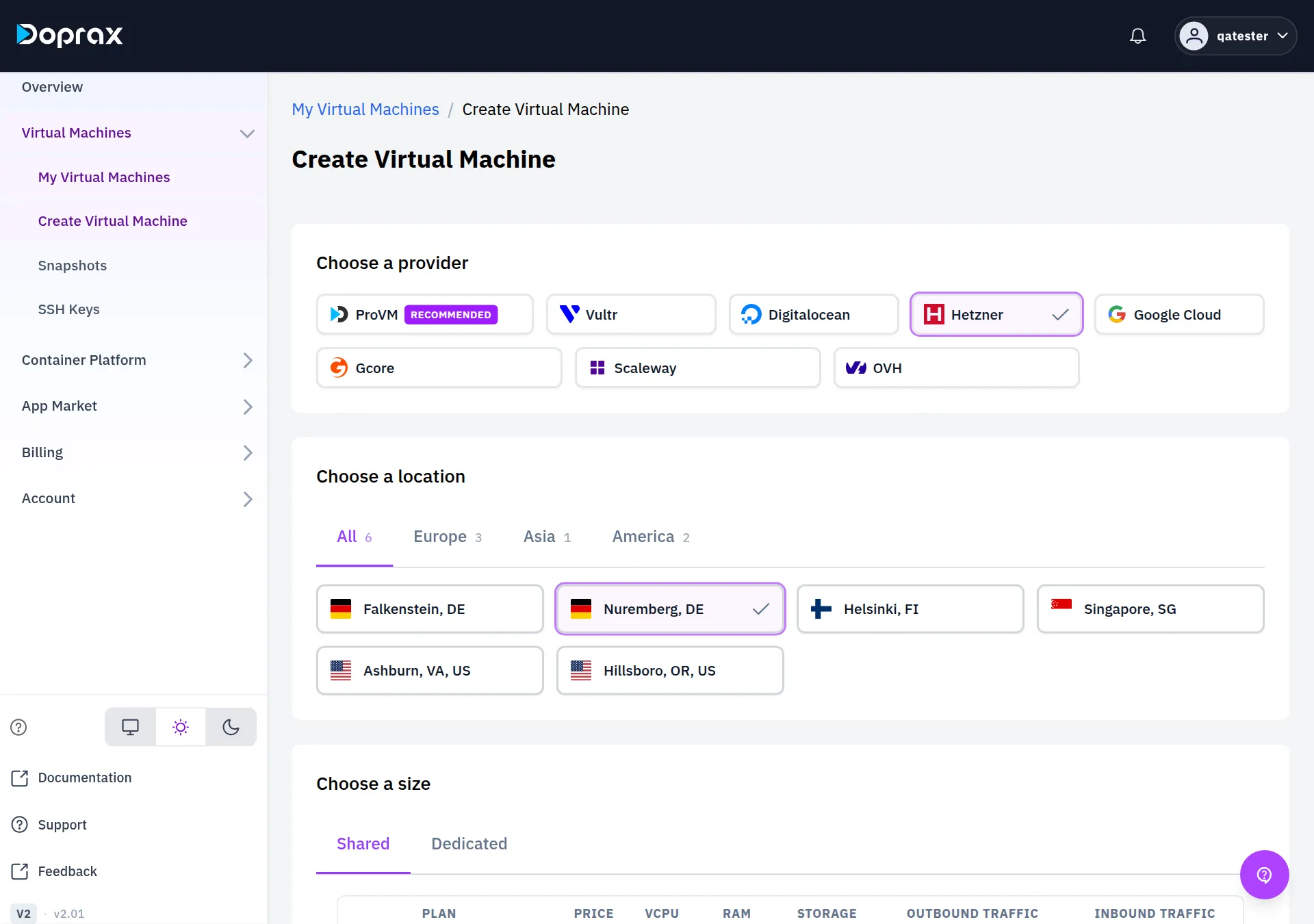
The allowance and the Google Cloud rate differ from plan to plan. The Create Virtual Machine page shows the figure for each plan in the Outbound traffic column:
- Free: outbound traffic is not charged.
- Included and a number of TB: the monthly allowance of that plan.
- Pay-per-use and a price per GB: no allowance; every GB is charged at that price.
What counts as traffic
Section titled “What counts as traffic”- Outbound traffic is what leaves your VM: pages and files your VM sends to visitors, the answers of an API, backups you push to another place, requests your VM makes to other services. Only this direction is ever charged.
- Inbound traffic is what arrives at your VM: uploads from your users, package updates, deploys. It is free and without limit at every provider.
Traffic is added up over the calendar month. The count starts on the 1st of each month, whatever day the VM was created.
In the allowance, 1 TB is 1,024 GB.
Providers with free traffic: ProVM, OVH, Gcore, Scaleway
Section titled “Providers with free traffic: ProVM, OVH, Gcore, Scaleway”On these four providers nothing is charged for traffic, in either direction and at any volume. Doprax does not measure the traffic of these VMs.
- ProVM, OVH and Gcore plans show Free in the Outbound traffic column.
- Scaleway plans have no traffic price at all.
The Network tab of a ProVM shows Unlimited under Traffic information.
Providers with an allowance: Vultr, DigitalOcean, Hetzner
Section titled “Providers with an allowance: Vultr, DigitalOcean, Hetzner”Each plan includes an amount of outbound traffic per month. Larger plans include more. You pay only for what goes out beyond that amount.
How it is charged
Section titled “How it is charged”- The allowance is for the whole month. A busy day costs nothing as long as the total of the month stays inside the allowance. A quiet week makes up for a busy one.
- Traffic beyond the allowance is charged once a day. Each day you are charged for the traffic beyond the allowance so far this month, minus what was already charged this month. So a traffic charge can only appear after the whole allowance is used up.
- The amount is rounded up to whole units. On Vultr and DigitalOcean the unit is 1 GB. On Hetzner the unit is 100 GB: 1 GB beyond the allowance costs one full block of 100 GB.
Prices beyond the allowance
Section titled “Prices beyond the allowance”| Provider | Price |
|---|---|
| Vultr | $0.02 per GB |
| DigitalOcean | $0.02 per GB |
| Hetzner, locations in Germany, Finland and the USA | $0.22 per started 100 GB ($0.26 on the Arm plans, whose names start with CAX) |
| Hetzner, Singapore | $1.66 per started 100 GB |
An example: a DigitalOcean plan includes 2 TB, which is 2,048 GB. In one month the VM sends 2,448 GB. The 400 GB beyond the allowance cost 400 × $0.02 = $8.00.
If you delete the VM during the month
Section titled “If you delete the VM during the month”This is where the three providers differ.
- Hetzner: you have the whole monthly allowance from the first day, and you keep all of it even if the VM exists for only a few days.
- Vultr and DigitalOcean: when you delete a VM, its allowance for that month is counted in proportion to the time the VM existed in that month. A VM that existed for half of the month gets half of the allowance. Traffic beyond that part is charged when the VM is deleted.
A VM that you keep until the end of the month has the whole allowance for that month, also when it was created in the middle of it.
What the Network tab shows
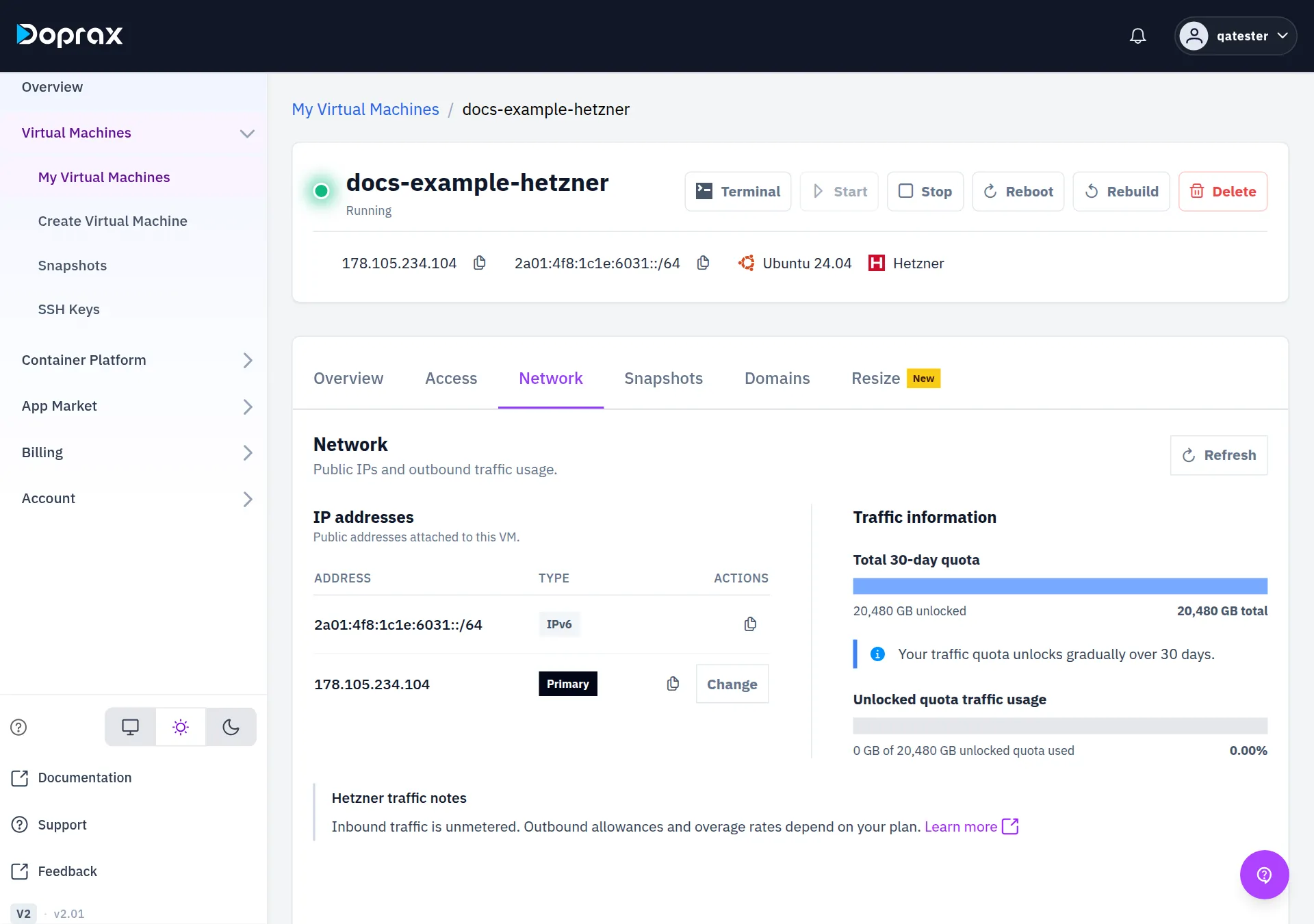
Section titled “What the Network tab shows”Open the VM and select Network. Under Traffic information:
- Total 30-day quota is the monthly allowance of the plan, and how much of it is unlocked. On Vultr and DigitalOcean the unlocked part grows through the month, in proportion to the time the VM has existed in it. The tab says: “Your traffic quota unlocks gradually over 30 days.” On Hetzner the tab shows the same sentence, but the whole allowance is unlocked from the start.
- Unlocked quota traffic usage is the outbound traffic of this month, compared with the unlocked part.
- When the traffic is above the unlocked part, the tab shows Over unlocked quota and an Extra traffic charge. That amount is set aside from your available balance. On Vultr and DigitalOcean it becomes a charge if the traffic of the whole month ends above the whole allowance, or if you delete the VM while it is above the unlocked part. If the unlocked part grows past your traffic again, the amount goes back to zero.
Google Cloud: every GB is charged
Section titled “Google Cloud: every GB is charged”Google Cloud plans include no traffic. Every GB that leaves the VM is charged, at a rate between $0.22 and $0.36 per GB that depends on the location. The create page shows the rate on each plan as Pay-per-use and the price per GB.
The charge is made once a day, for the traffic of the month so far minus what was already charged, rounded up to whole GB.
On the Network tab, a Google Cloud VM shows Traffic usage & cost in place of the quota bars: Outbound this month, Charged this month, the Rate, and a chart of the outbound traffic per day.
Keep the cost down
Section titled “Keep the cost down”- Choose the provider by the traffic you expect. A service that sends a lot of data (downloads, video, a proxy) costs nothing extra on ProVM, OVH and Gcore.
- On a plan with an allowance, look at the Network tab during the month, not only at its end.
- A traffic charge comes out of your credit like any other charge. It shortens the time your credit lasts: see When your credit runs low.
Other costs of a VM are on What a VM costs. The providers are compared on Providers and locations.
Checked against the product on 12 October 2026.