

Create your Doprax account
You can sign up with an email address or with a Google account. With an email address you must enter a code that we email you before the account works. With Google the account works at once.
Sign up with an email address
Section titled “Sign up with an email address”-
Open www.doprax.com/v/signup/.
-
Choose a username. It needs at least 4 characters, without special characters. It is stored in lower case, and you cannot change it later in the dashboard.
-
Type your email address. Addresses from disposable email services are refused.
-
Type a password twice. It needs at least 8 characters, with a letter and a number.
-
Tick the box to accept the privacy policy and the terms of use, and select Sign up.
-
The screen changes to Verify your email. Type the 5-digit code from the email we sent you and select Verify OTP.
You are now signed in.
If the code does not arrive
Section titled “If the code does not arrive”- Resend becomes available 2 minutes after the last email. A new code replaces the old one.
- A code has no time limit. It stays valid until you ask for a new one.
- You have 5 tries in total. A wrong code uses one, and so does a resend. After that the screen answers “Too many failed attempts”, also for the right code. Contact support.
- After 3 tries within one hour, a resend is refused until an hour has passed.
Sign up with Google
Section titled “Sign up with Google”-
Open www.doprax.com/v/signup/.
-
Select the Google button at the top and choose your Google account.
There is no code to enter. Your username is made from the part of your email address before the
@. You have no Doprax password yet. To set one, use Forgot Password? on the sign-in page.
Find your way around
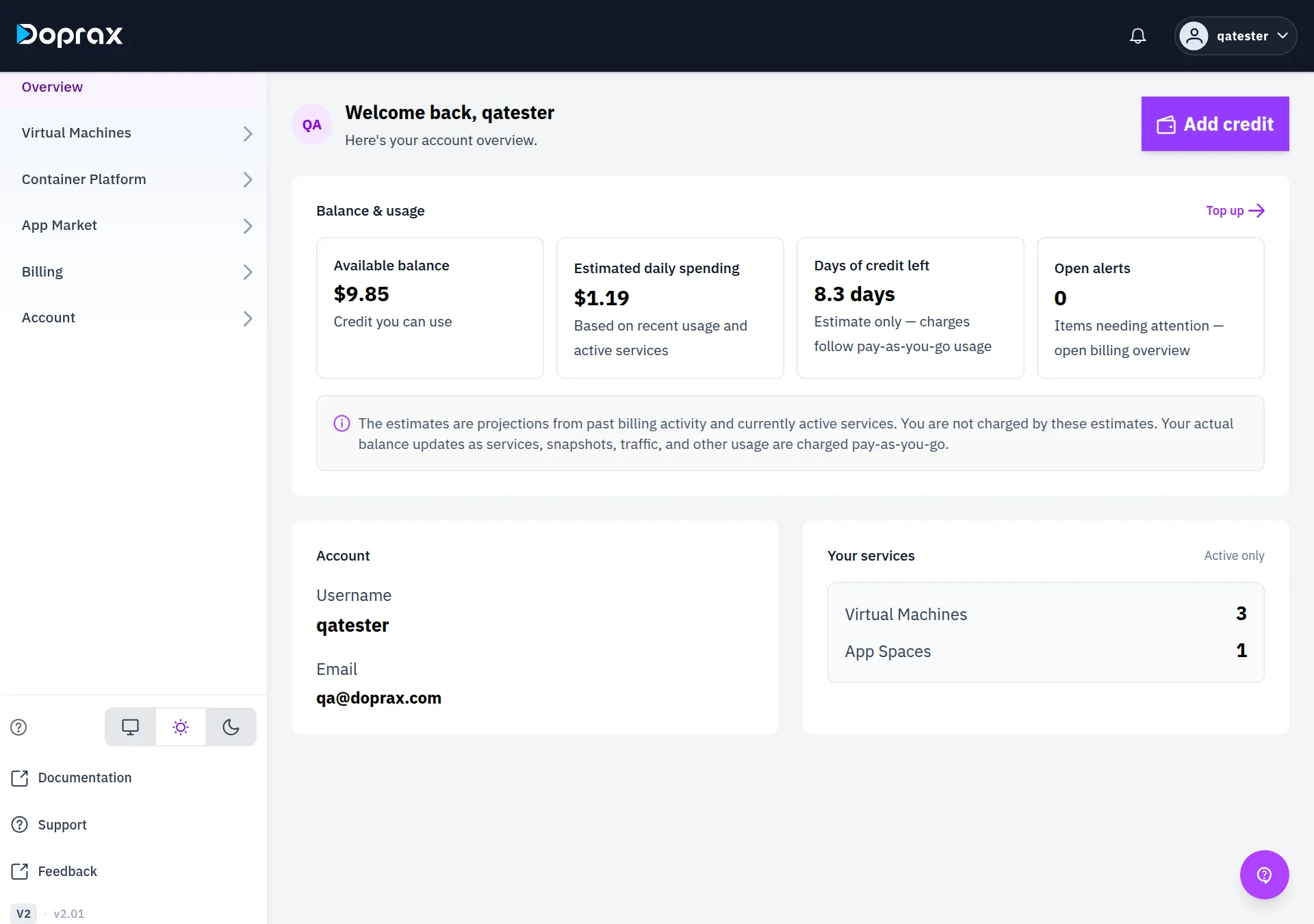
Section titled “Find your way around”The menu on the left of the dashboard has these items.
| Menu | What is there |
|---|---|
| Overview | Your balance, your estimated spending and a count of your services |
| Virtual Machines | My Virtual Machines, Create Virtual Machine, Snapshots, SSH Keys |
| Container Platform | App Space: My App Spaces, Create App Space |
| App Market | Blueprint Marketplace: apps to install on a VM. Publisher Profile: your public profile |
| Billing | Billing overview, Add credit, Redeem Promo, Invoices |
| Account | Profile & Settings, Security, API Keys, Features & Early Access |
| Documentation, Support, Feedback | These docs, the ways to reach our team (live chat and email), and feedback |
Add credit
Section titled “Add credit”Doprax is prepaid. You need credit on your account before you can create a virtual machine or an App Space.
Open Billing > Add credit and pay by card or with cryptocurrency. See Add credit for the amounts and the card fee, and How billing works for what you are charged.
- Not sure what to create? Read VM, App Space or App Market.
- Create your first virtual machine.
- Deploy your first app on App Space.
Checked against the product on 12 October 2026.