

Change the IP address of a Hetzner virtual machine
You can replace the public IP address of a Hetzner VM with a new one, for IPv4 or for IPv6. The VM is switched off, gets the new address, and is started again. Its disk and its data are not touched.
Before you start
Section titled “Before you start”- Hetzner only. VMs of the other providers, ProVM included, have no IP change. To get another address there, create a new VM. A ProVM can get additional IP addresses.
- It costs a fee each time, the same for IPv4 and for IPv6. The Change IP dialog shows the price before you confirm: $4.50 per change when this page was checked. Your credit must cover it, or the change is refused.
- You cannot choose the address, and you cannot get the old one back.
- The VM goes down for the change.
- The VM must be Running or Stopped.
Change the address
Section titled “Change the address”-
Open the VM from Virtual Machines, My Virtual Machines, and select the Network tab.
-
In the IP addresses table, select Change on the row marked Primary. The same dialog opens from Change IP on the Access tab.
-
Under IP version, choose IPv4 or IPv6.
-
Check the price under Pricing.
-
Select Confirm change.
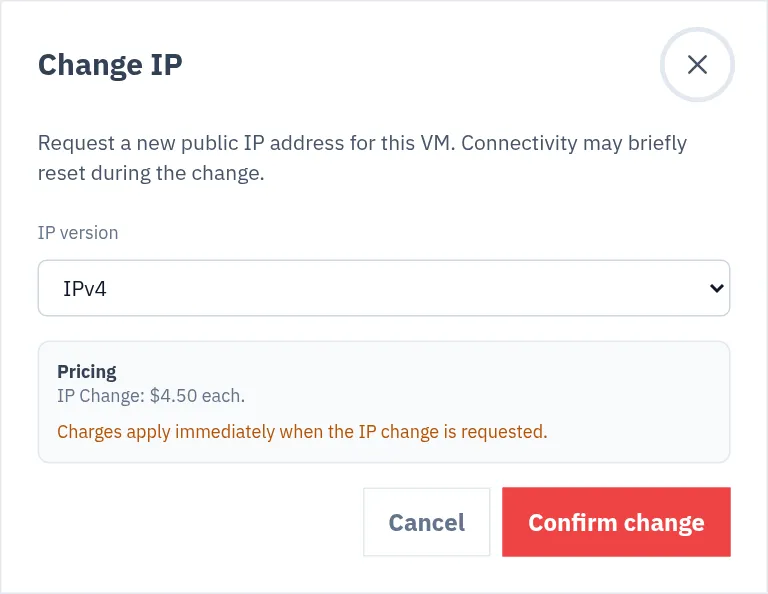
The new address is on the Network tab and at the top of the VM’s page when the change is done. The fee is charged once the address has changed. If the change fails, nothing is charged.
What happens to the VM
Section titled “What happens to the VM”-
The VM is shut down.
-
The old address is taken off and the new one is attached. The new address comes from the same location.
-
The VM is started. It is running afterwards, also if it was stopped before.
For 90 seconds after the change, other actions on the VM are refused, so that it can finish starting.
What you have to update
Section titled “What you have to update”| After an IPv4 change | |
|---|---|
| The automatic subdomain of the VM | Follows by itself: its DNS record is set to the new address |
| Your own domains | Change the A record at your DNS provider to the new address |
| Anything that has the old address written down: firewall rules, allow lists, bookmarks, app settings | Change it yourself |
ssh on your computer |
Connect to the new address. ssh asks you to confirm the fingerprint again |
Nothing else about the VM changes: the same disk, the same plan and price, and the other IP version keeps its address.
How often
Section titled “How often”Account, Security lists Number of IP changes per month under Account quota: 5, unless it was raised for your account. Request quota increase on the same page asks for more.
Checked against the product on 12 October 2026.