

Add credit to your account
Doprax is prepaid: you need credit before you can create a service. This page shows how to add it.
Add credit
Section titled “Add credit”-
In the dashboard, open Billing > Add credit.
-
Under Payment options, choose a method and select Continue.
-
Under Enter amount, type the credit you want in US dollars.
-
Select Continue to checkout. You pay on the payment company’s own page.
-
After paying you come back to the dashboard. It checks the payment and takes you to Billing overview, where the payment is in Payment history.
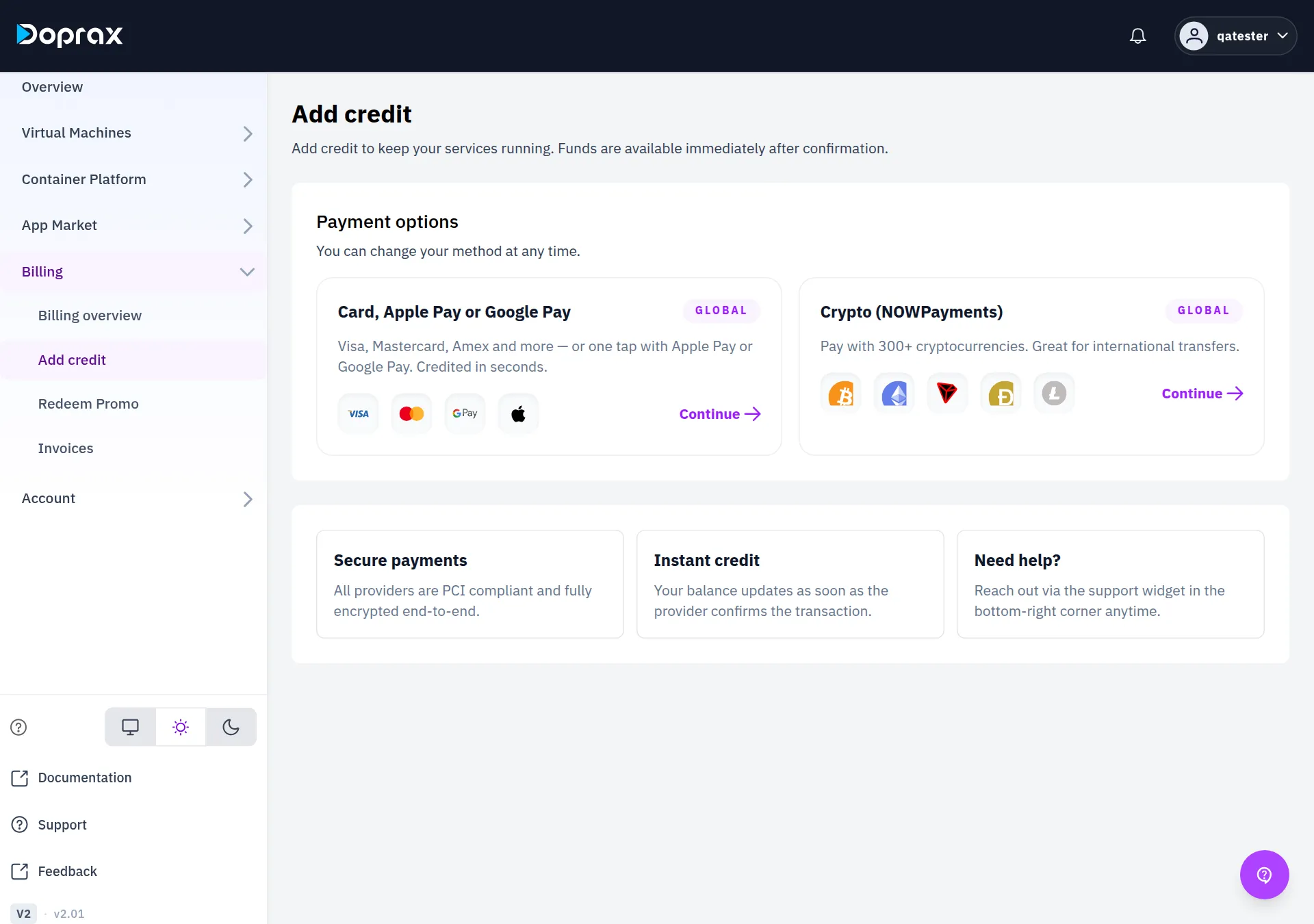
Payment methods
Section titled “Payment methods”| Method on the screen | You pay with | Smallest amount | Fee |
|---|---|---|---|
| Card, Apple Pay or Google Pay | Visa, Mastercard, American Express, Apple Pay, Google Pay | $10 | 4.30% + $0.30. No fee from $50 |
| Crypto (NOWPayments) | More than 300 cryptocurrencies | Lower than for cards | No card fee |
The screen lists only the methods your account can use. If it says “No payment methods available”, contact support.
There is a smallest amount for every top-up. If you type less, the dashboard does not start the payment and tells you the minimum.
Paying by card
Section titled “Paying by card”Cards are processed by Airwallex. You type your card details on Airwallex’s page, not on Doprax. Apple Pay and Google Pay appear there on devices that support them.
The fee is added on top. You get the credit you typed. Your card is charged that amount plus the card processing fee, and the screen shows both before you continue:
| You type | Card processing fee | Charged to your card |
|---|---|---|
| $10 | $0.77 | $10.77 |
| $20 | $1.22 | $21.22 |
| $50 or more | Waived | The amount you typed |
The fee is what the card network and the payment processor charge. Doprax keeps none of it.
A card top-up below $10 is refused. The screen says “Card payments start at $10.00”. Use cryptocurrency for a smaller amount.
The credit is added within seconds of the payment going through.
Paying with cryptocurrency
Section titled “Paying with cryptocurrency”Crypto payments go through NOWPayments. The credit is added when NOWPayments confirms that your payment arrived, not at the moment you send it. The steps, and what happens when less arrives than you asked for, are on Pay with crypto.
Extra credit from an offer
Section titled “Extra credit from an offer”If your account holds an offer, a green box at the top of the Add credit screen says so, for example “Add credit within 2 days and we add 15% on top”. You do not enter anything. The extra credit is added when your payment arrives.
- An offer adds a percentage of the top-up, never more than 20%.
- It can have a smallest top-up and a largest extra amount. The box states both.
- It has an end time. After that it is gone.
- One offer is used per payment. Offers do not add up.
- It applies to card, crypto and Rial payments, not to credit codes.
Some offers start from a code. You enter the code on Redeem Promo.
Paying in Rial
Section titled “Paying in Rial”Rial payments are not offered to new accounts. If your account has paid in Rial within the last year, the Add credit screen still shows Rial payment. Other accounts do not see it.
Credit codes from a partner
Section titled “Credit codes from a partner”A credit code is prepaid Doprax credit that you buy from a partner shop in your local currency. A $10 code adds $10 to your balance.
-
Open Billing > Add credit and select Local currency (credit code). Only some accounts are shown this option. If you hold a code and do not see it, open the credit code page directly.
-
Under Enter your code, type the code and select Add credit.
The credit is added at once.
- A code is 8 to 24 letters and numbers. Dashes, spaces and capital letters do not matter.
- A code works once.
- After 10 wrong codes you must wait an hour before trying again.
- If a code you paid for does not work, contact support with the code and your order number from the shop.
After the credit arrives
Section titled “After the credit arrives”- Anything your account still owes is taken from the new credit first.
- Services that were frozen for lack of credit start again by themselves. See When your credit runs low.
When you cannot add credit
Section titled “When you cannot add credit”While your account has an open refund request, adding credit and creating services are switched off until the refund has been handled.
Checked against the product on 12 October 2026.