

The Doprax API
Everything you can do with virtual machines in the dashboard, you can do over HTTP: list plans, create and delete VMs, start and stop them, take snapshots, manage SSH keys, read your balance.
- Address:
https://www.doprax.com - Format: JSON in, JSON out
- Sign-in: an API key in the
X-API-Keyheader
Every request on these pages is a file that is run against a test environment before the page is published, and the answer shown under it is what that run got.
Get an API key
Section titled “Get an API key”In the dashboard, open Account, then API Keys.
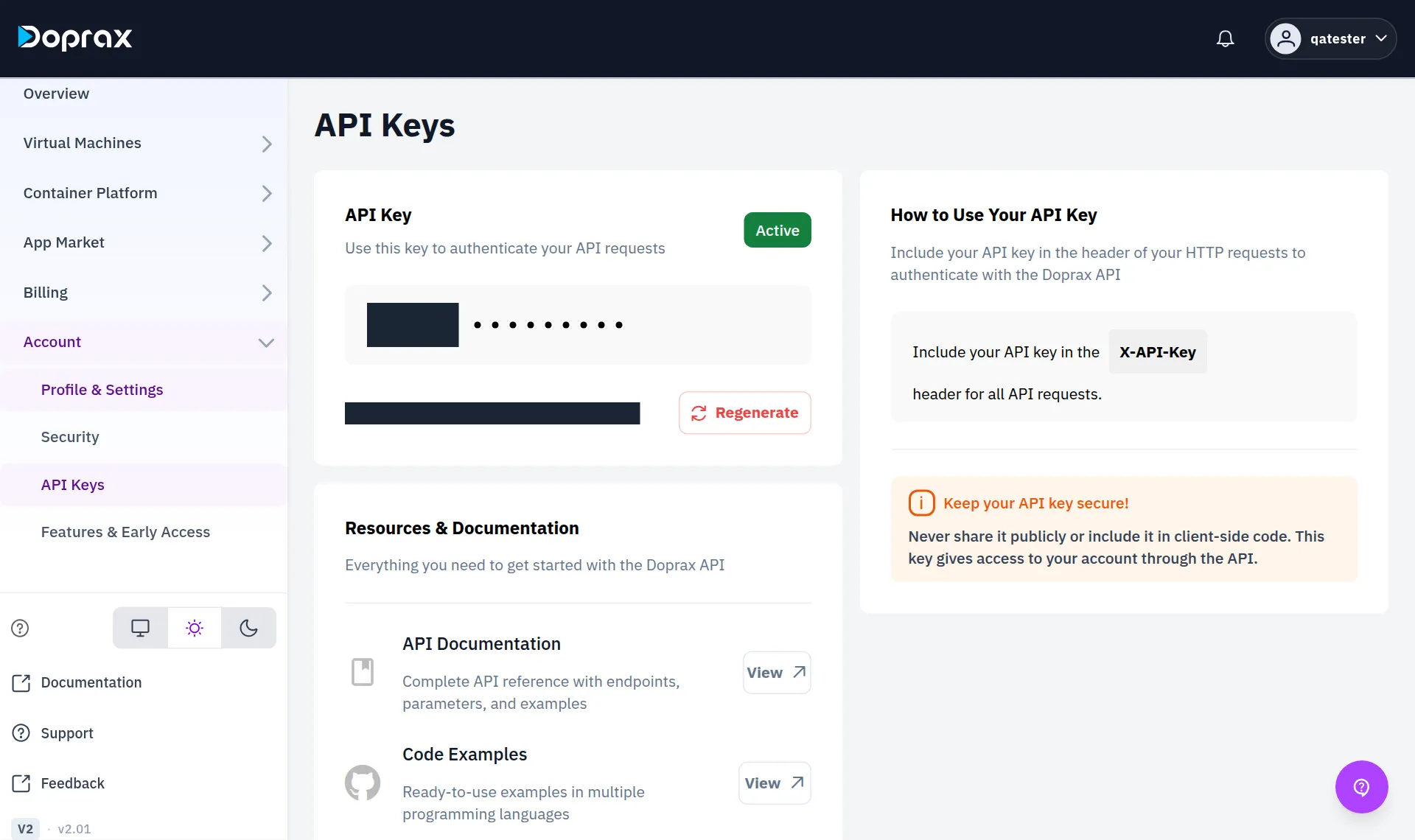
- An account has one API key. Regenerate makes a new one, and the old one stops working at once.
- The key gives full access to your account, the same as signing in. Keep it out of code you publish and out of anything that runs in a browser.
The examples expect the key and the address in two variables:
export DOPRAX_API_URL=https://www.doprax.comexport DOPRAX_API_KEY=your-keyYour first request
Section titled “Your first request”Read your balance:
curl -sS "$DOPRAX_API_URL/api/v2/finance/available-balance/" \ -H "X-API-Key: $DOPRAX_API_KEY"Answer
{ "success": true, "data": { "currency": "USD", "available_balance_cents": 2500, "accrued_cents": 12, "recurring_cents": 12, "usage_cents": 0, "min_required_cents": 300, "is_sufficient": true, "default_min_required_cents": 300 }, "error": null, "meta": { "pagination": {} }}Amounts are in cents. available_balance_cents is what you can still spend: your credit minus
what your services have used since the last charge.
What an answer looks like
Section titled “What an answer looks like”An answer has success, and then either data or error:
{ "success": true, "data": { }, "error": null, "meta": { "pagination": { } } }When a request fails, success is false, the HTTP status says what kind of failure it was, and
error.message says why in words. The same request without a key:
curl -sS "$DOPRAX_API_URL/api/v2/finance/available-balance/"Answer
{ "success": false, "data": {}, "error": { "code": "request_failed", "message": "Authentication credentials were not provided" }, "meta": { "pagination": {} }}| Status | Meaning |
|---|---|
| 400 | Something in the request is missing or not allowed. The message names it |
| 403 | No key, or a key that is not valid |
| 404 | No such VM, snapshot or key on your account |
| 409 | The service is in a state that does not allow this now, for example frozen |
| 429 | Too soon after the last operation on this service. See below |
Waits between operations
Section titled “Waits between operations”Operations on one service cannot be fired faster than the service can follow. After an operation you have to wait before the next one on the same service:
| After | Wait |
|---|---|
| Start | 60 seconds |
| Reboot | 90 seconds |
| Stop | 15 seconds |
| Change IP | 90 seconds |
A request that comes too soon gets status 429 with a Retry-After header holding the number of
seconds to wait. There is no general limit on how many requests you may send.
Send an idempotency key
Section titled “Send an idempotency key”Requests that create or change something take an idempotency_key: any text you choose that is
different for each thing you mean to do. If a request times out and you send it again with the
same key, you do not get a second VM.
- Create a VM with the API
- Reference: every endpoint with its inputs and answers
Checked against the product on 12 October 2026.