

Redeem a promo code
A promo code gives you credit. Some codes add credit at once. Others add extra credit to your next top-up. You enter all of them in the same place.
Enter a code
Section titled “Enter a code”-
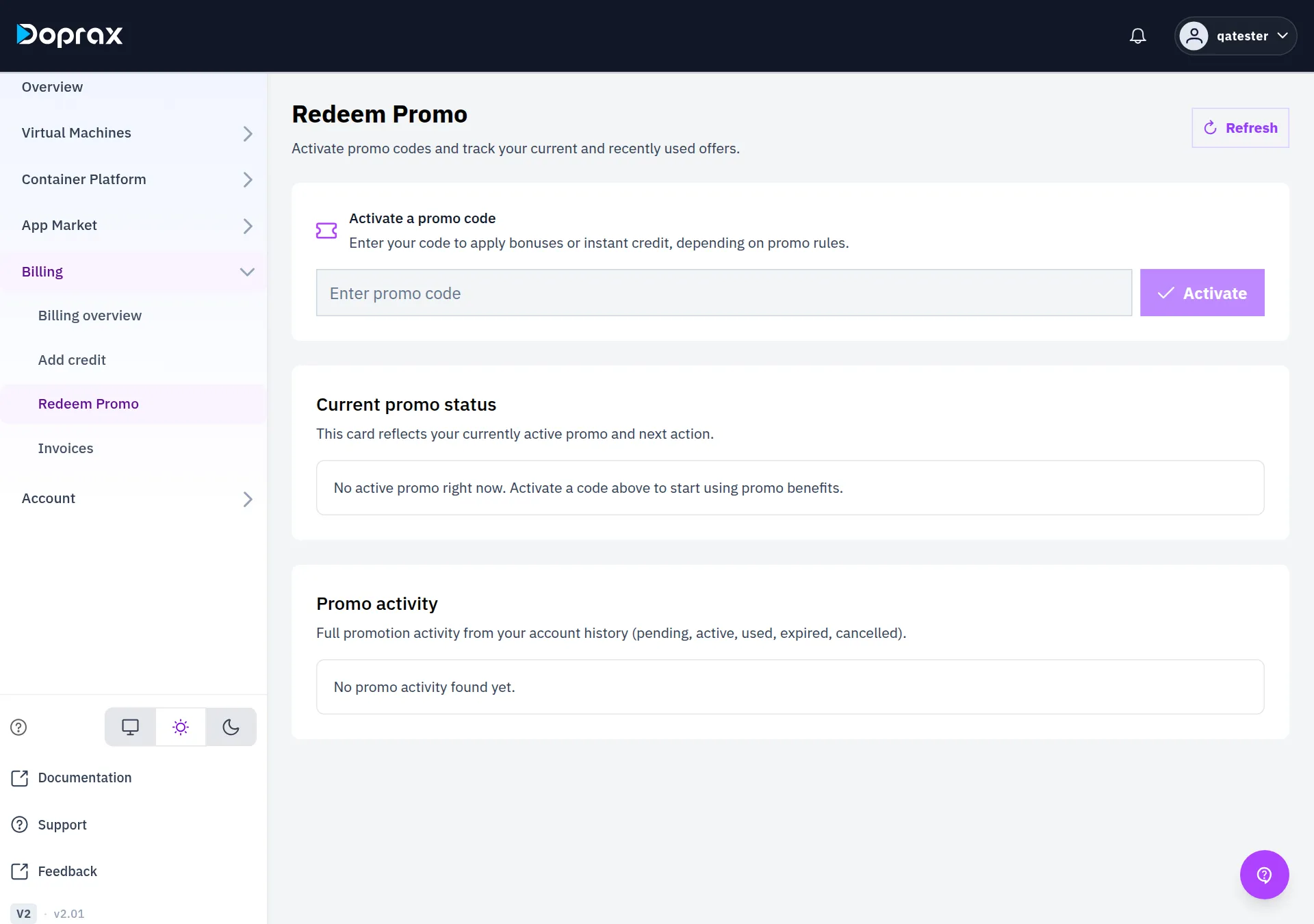
In the dashboard, open Billing > Redeem Promo.
-
Under Activate a promo code, type the code. Capital letters do not matter.
-
Select Activate. A message under the field says what the code did, or why it was refused.
What a code does
Section titled “What a code does”| Kind of code | What happens when you activate it |
|---|---|
| Promo with Instant credit | Its amount is added to your balance at once |
| Promo with Applied on payment | The promo becomes Active and stays so until it has been applied to a payment |
| Offer code | A percentage of your next top-up is added as extra credit. The message gives the percentage and the time the offer ends |
| Credit code from a partner | The value of the code is added to your balance at once |
If a promo of the kind Applied on payment is still Active after a payment of yours has been credited, contact support.
Rules for promos
Section titled “Rules for promos”- A promo can have a start date and an end date. Outside them the code is refused.
- A promo has a limit on how many times one account can use it, and can have a limit on its total number of uses. When a limit is reached the code is refused.
- Only one promo can be Active at a time. When you activate another code on this screen, the promo that was active goes back to Pending. You can activate it again later.
Rules for offer codes
Section titled “Rules for offer codes”An offer code gives you an offer: extra credit on your next top-up.
- The extra credit is a percentage of the top-up, never more than 20%.
- An offer can have a smallest top-up and a largest extra amount.
- The offer ends at the time given in the message. A top-up credited after that gets nothing.
- It counts for your next top-up. A payment credited before you entered the code gets nothing.
- An account can use the same offer code once.
- A code can have a limit on how many accounts may use it. After that it is refused with “This code is no longer available”.
- Some codes are for a first payment only. If you have paid before, such a code is refused.
- One offer is used per payment. If you hold two, the one that adds more is used.
- Offers apply to card, crypto and Rial payments, not to credit codes.
An offer does not appear under Promo activity. It appears as a green box at the top of the Add credit screen. You do not enter anything when you pay. See Add credit.
Current promo status
Section titled “Current promo status”This section shows the promo that is Active now, with its Value, its Apply type and Valid until. The button under it opens Add credit.
With no active promo it says “No active promo right now. Activate a code above to start using promo benefits.”
Promo activity
Section titled “Promo activity”This section lists the promos of your account. Each has one of five states.
| State | Meaning |
|---|---|
| Pending | The promo is on your account but not activated. Select Activate this code to activate it |
| Active | You activated it and it has not been used yet |
| Used | Its credit has been added to your balance |
| Expired | It ended before it was used |
| Cancelled | It was withdrawn, and adds no credit |
Each entry also shows the Value, the Apply type, the dates Activated, Used and Assigned, and the Activation code.
Credit codes from a partner
Section titled “Credit codes from a partner”A credit code that you bought from a partner shop can be entered on this screen too. It also has its own page, with the list of shops. See Credit codes from a partner.
A credit code works once.
Checked against the product on 12 October 2026.