

Pay with cryptocurrency
You can add credit to your Doprax account with cryptocurrency. The payment goes through NOWPayments, which accepts more than 300 coins. Your credit is always counted in US dollars.
Add credit with crypto
Section titled “Add credit with crypto”-
In the dashboard, open Billing > Add credit.
-
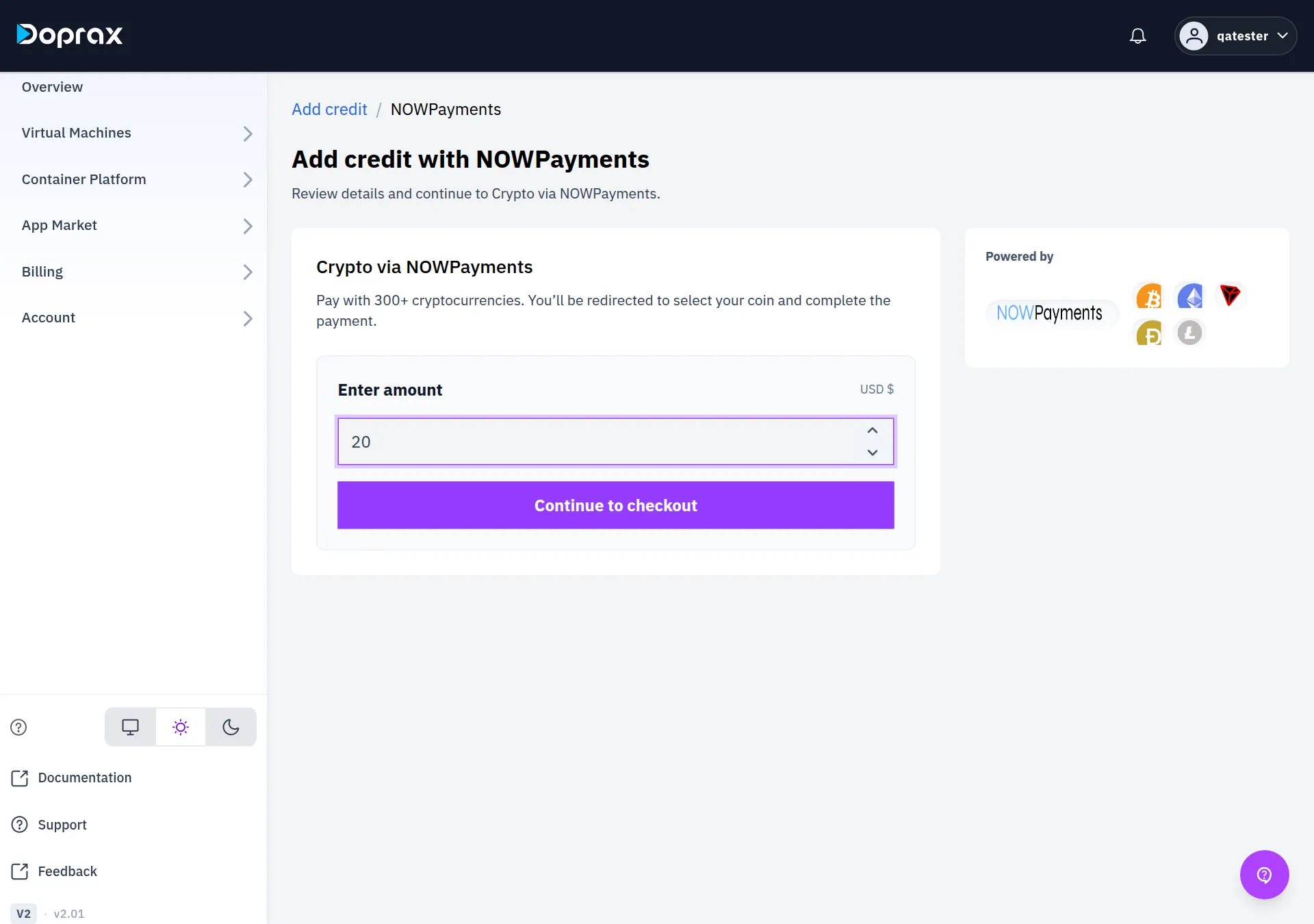
On Crypto (NOWPayments), select Continue.
-
Under Enter amount, type the credit you want in US dollars.
-
Select Continue to checkout. You are sent to the NOWPayments page.
-
On the NOWPayments page, choose your coin and send the payment as that page tells you.
-
When NOWPayments sends you back, the dashboard says “Your transaction is being verified. It will show up in your balance after the verification is done successfully” and opens Billing overview.
The smallest amount
Section titled “The smallest amount”There is a smallest amount for a top-up, and it is lower for crypto than for cards. If you type less, the dashboard does not start the payment and tells you the minimum.
When the credit arrives
Section titled “When the credit arrives”The credit is added when NOWPayments tells Doprax that your payment is finished. Doprax does not set this time, and the dashboard does not wait for it.
Until then the payment is in Payment history on the Billing overview screen with the
status pending. When it is credited the status becomes succeeded and your
Available balance goes up.
If NOWPayments reports the payment as failed, expired or refunded, the status becomes failed and
no credit is added.
If the amount that arrives is different
Section titled “If the amount that arrives is different”Doprax credits the US dollar value that NOWPayments reports as received, not the amount you typed. Exchange fees and network fees taken on the way can make that value lower.
| What arrived | What you are credited |
|---|---|
| The amount you asked for | That amount |
| Less than you asked for, but $3.00 or more | What arrived. You asked for $20 and $18.50 arrived: you get $18.50 |
| Less than $3.00 | Nothing automatically. The payment stays pending |
| More than you asked for | Only the amount you asked for |
If a payment stays pending and you know the coins arrived, contact support with the
Reference shown next to the payment in Payment history.
Related
Section titled “Related”- Add credit: the other payment methods and the card fee.
- When your credit runs low: what stops at zero and how it starts again.
Checked against the product on 12 October 2026.