

Run separate services on the same box
Every public-facing service wants its own address. A web app on one IP, a mail relay on another, a staging copy on a third. On a single-IP machine you're stacking everything behind one address and juggling ports, reverse proxies, and hostname routing to keep them apart. Give each service its own IP and the routing gets simpler, because the address does the separating for you.
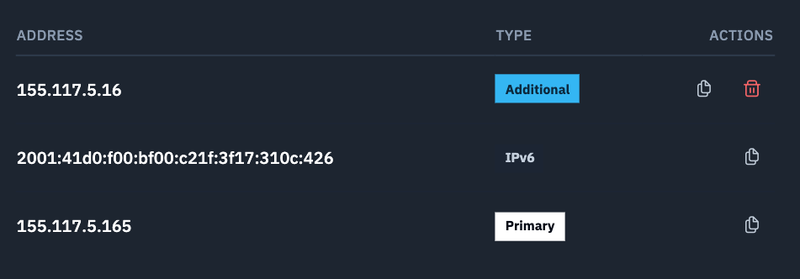
This matters most when two services both want port 443. You can't bind two things to the same port on the same IP without a proxy in front. Two IPs, two clean bindings, no proxy layer to maintain.
Give each client a clean address
If you host things for other people, shared IPs get awkward fast. One client's traffic spike, one client's reputation problem, and everyone on that address feels it. Separate IPs mean separate reputations. A client's mail deliverability, TLS certs, and rate limits stay theirs.
It also makes billing and access clean. You can point a client's DNS at their address and never touch the others.
Isolate reputation for outbound work
IP reputation is sticky. Once an address gets flagged, cleaning it up is slow. Running your outbound-sensitive work (API calls to strict providers, webhooks, scrapers that respect rate limits) on a dedicated address keeps your main service address clean if something goes wrong. One bad afternoon on IP four doesn't touch IP one.
Blue-green on a single VM
You don't need two machines to run two versions of something. Deploy the new version, bind it to a second IP, point a fraction of your DNS or a health check at it, and watch. If it holds, flip the rest over. If it doesn't, the old version never moved. This is the cheap way to test a release against real traffic without provisioning a whole parallel environment.
The one thing to check first
Which ports are reachable depends on where your VM lives. On some regions every inbound port is open. On others, only a specific range reaches the network edge, so an extra IP doesn't help a service listening on a port that traffic can't get to. Before you assign an address to a new service, confirm the port that service needs is actually reachable in your region. It's a two-minute check that saves an hour of "why won't this connect."
Outbound port 25 stays blocked by default across the board to keep spam off the network. If you're running legitimate mail, there's a request process to open it.
What this actually buys you
More IPs on one VM means you consolidate instead of multiply. Work that used to justify a second machine (a staging environment, an isolated client, a clean outbound address) now fits on the machine you already run. Fewer VMs to patch, fewer bills to reconcile, same separation where separation matters.
Add IPs to a VM from your dashboard: https://www.doprax.com/v/me/